
Circle
List & Discover with Friends
Share your items with friends only. Discover what your contacts are selling. No strangers, no hassle, just trusted connections.
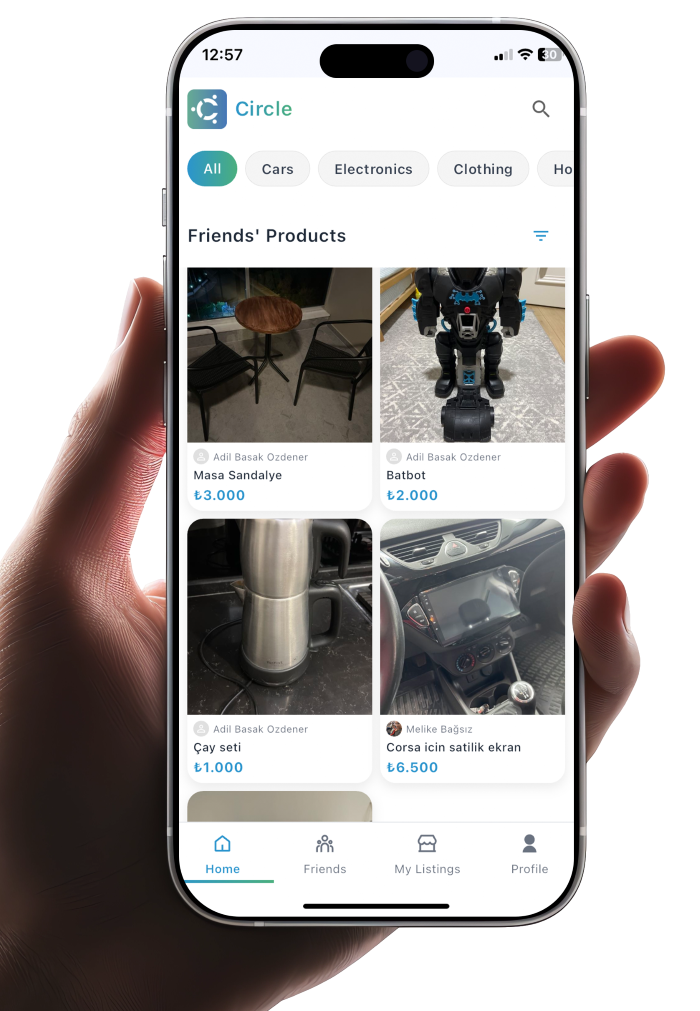
Share your items with friends only. Discover what your contacts are selling. No strangers, no hassle, just trusted connections.
Simple, social, and secure marketplace for your circle
Share your items with people you know and trust. Your listings are only visible to your contacts, creating a safe and personal selling experience.
Discover amazing items from your network. Browse through your friends' listings and find exactly what you're looking for from people you trust.
We keep it simple by focusing on what matters
Deal directly with your friends through calls or messages
Keep 100% of your earnings with zero platform fees
Use your preferred communication method with friends
Deal with people you already know and trust
Quick answers about listing, friends, and fees
You can add friends by syncing your contacts. Circle will automatically find friends who are already using the app. You can also search for users by their phone number.
Tap the "+" button in the app, add photos of your item, fill in the details (title, description, price), select a category, and publish. Your item will be visible to your friends only.
No, Circle is completely free to use. There are no listing fees, commission fees, or subscription costs. You keep 100% of your earnings.
Circle doesn't have in-app messaging. You can contact sellers directly through their phone number or any other method you prefer. The seller's contact information is available on their profile.
Join Circle and discover a better way to buy and sell with your friends